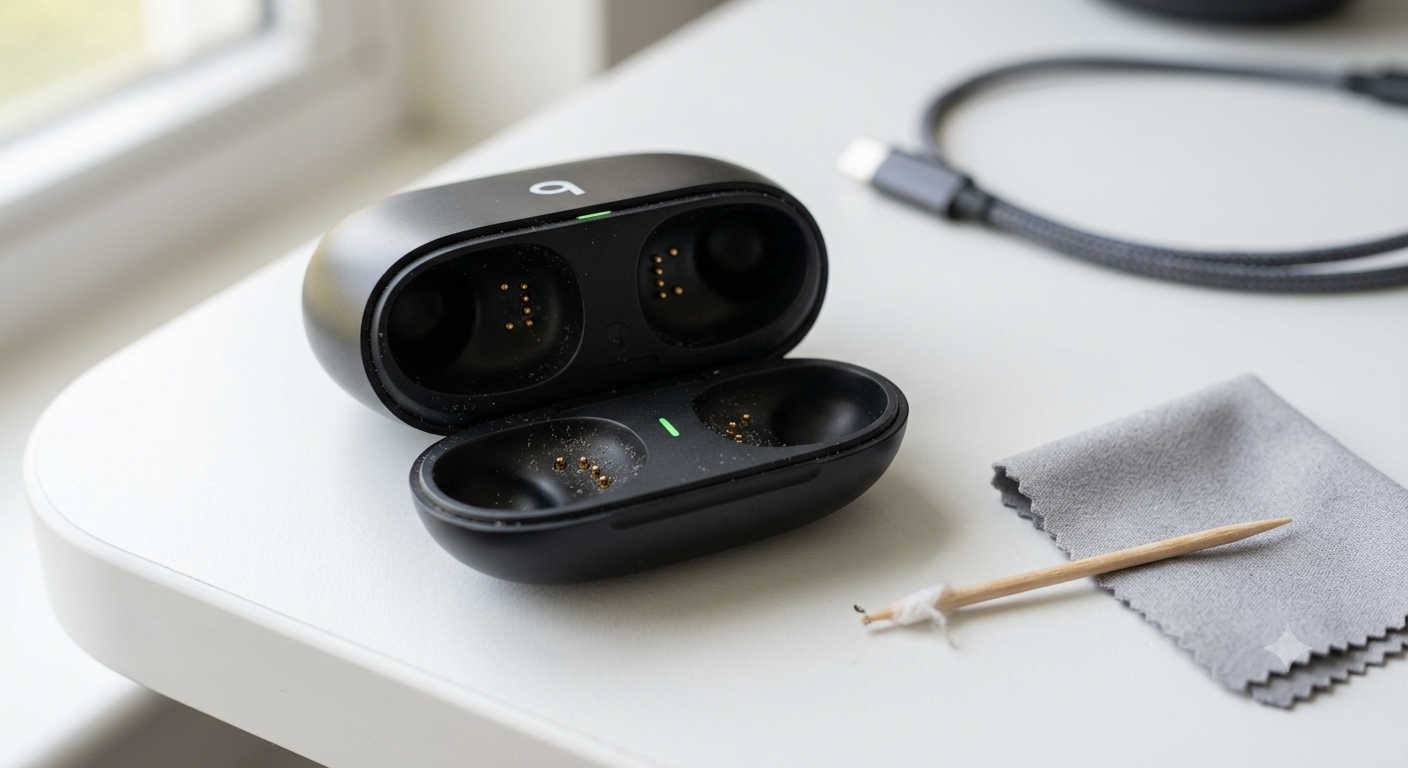
It’s a familiar moment of dread. You grab your Beats Studio Buds, pop them into the case, and wait for that tiny LED to glow. Nothing happens. No light, no charge, no life. Suddenly your wireless earbuds are just expensive paperweights.
A dead charging case is frustrating, especially when you rely on those earbuds for work calls, workouts, or drowning out noisy commutes. Before you start shopping for a whole new pair or schedule a repair, know this: most “dead” Beats Studio Buds cases aren’t actually dead. They’re just stuck, dirty, or deeply drained.
I’ve walked through these steps countless times, and one of them almost always brings the case back to life. Let’s find which one works for you.
Why Your Beats Studio Buds Case Stopped Charging
Understanding what went wrong helps you pick the right fix. Here are the usual suspects:
- The case battery is so drained it can’t even light the LED.
- Dirt or lint blocks the connection between the case and earbuds.
- A software hiccup froze the case’s internal circuitry.
- A faulty cable or charger isn’t delivering power.
- One dead earbud is preventing the entire system from charging.
Rarely is it a permanent hardware failure. So start here.
First, Rule Out the Obvious Culprits
Let’s eliminate the simple stuff before diving deeper.
Swap Your Cable and Brick
USB-C cables lead hard lives. They get bent, yanked, and stuffed into bags. A cable that charges your phone might still fail on your Beats case because these tiny batteries need a steady, low-power delivery.
Grab a different USB-C cable, ideally one you trust. Plug it into a standard 5W or 12W wall adapter, not a high-wattage laptop charger. The case prefers a gentle wake-up call, not a jolt.
Check Your Wireless Charger Alignment
If you own the Beats Studio Buds + with wireless charging or use a third-party pad, placement matters. The charging coil sits near the bottom center of the case. On compact charging pads, being off by half an inch means zero power transfer. Look for the LED or a charging indicator before walking away.
Leave It Plugged In Longer Than You Think
If your case has been sitting untouched for weeks, the battery may have slipped into a deep discharge state. In this protective mode, the LED stays dark even when you first connect power.
Plug the case in, with the earbuds inside, and leave it completely alone for at least two hours. Don’t open the lid to check. Let the battery trickle back up to a voltage where the light can finally wake. Overnight is even better.
Perform the Hardware Reset for a Frozen Case
The Beats Studio Buds case lacks a power button, but it does have a reset function. If the internal software crashed, the case appears dead even with a healthy battery.
Here’s how to force a reset:
- Place both earbuds in the case and close the lid for thirty seconds.
- Open the lid and locate the small system button between the earbud slots.
- Press and hold that button for a full fifteen seconds.
- Watch the front LED. It should flash red and white, then go dark.
- Release the button and wait a moment. A steady red or white light should appear.
If you see the red-and-white flash but the light stays off afterward, don’t panic. Move on to the cleaning fix below. That flash means the case has some power; it’s just not connecting to the buds.
Clean the Contacts Inside the Case
This fix solves more problems than you’d expect. Every time you put your earbuds away, tiny amounts of skin oil, dust, and pocket lint hitch a ride. Over time, that debris compacts at the bottom of the stem holes and coats the gold charging pins. The case can’t detect the earbuds properly, so it refuses to charge.
You don’t need anything fancy for this job.
Grab a can of compressed air and give each stem hole a short, sharp blast. Aim straight down. You’ll often see a puff of dust fly out, and that alone can fix things.
For a deeper clean, dampen a cotton swab or the tip of a wooden toothpick with a little 90% or higher isopropyl alcohol. Gently rub the gold contacts at the bottom of each hole. Be patient and don’t use too much liquid. Then wipe the metal rings on the bottom of the earbud stems themselves.
Drop the buds back in and press firmly until you feel the magnetic snap. If the case was struggling with a bad connection, the LED should flicker right away.
Isolate the Problem: Test Without Earbuds
This step tells you whether the case itself is faulty or if one earbud is dragging the whole system down.
Remove both earbuds from the case. Keep the case open and plug it directly into your charger. Watch the LED.
If the light turns on now, the case is working. The problem lives in one or both earbuds. That could mean a dead earbud battery or a damaged contact point. Try inserting just one bud at a time and watching the light to identify the troublemaker.
If the case still shows no light with the buds removed and a known-good cable connected, the issue sits squarely in the case.
What If Nothing Worked?
You’ve reset, cleaned, swapped cables, and waited hours, yet that LED remains stubbornly dark. At this point, the case’s internal battery or charging circuit has likely failed.
The good news is straightforward: you don’t need to replace your earbuds. Apple sells standalone Beats Studio Buds charging cases. If your product is under the one-year warranty or covered by AppleCare+, this repair should cost you nothing. Out of warranty, expect to pay around eighty to ninety-nine dollars. It stings, but it’s far cheaper than buying a whole new set.
How to Keep Your Charging Case Healthy
Prevention beats a dead case on Monday morning. A few habits make a real difference.
- Avoid sketchy power sources like airplane seat USB ports and gas-station car chargers. They can deliver unstable voltage that confuses the case’s battery management.
- Clean the stem holes with a quick blast of compressed air every couple of weeks.
- If you won’t use the buds for a while, charge the case to around fifty percent first. Storing it completely drained increases the risk of a deep discharge that refuses to wake.
Frequently Asked Questions
Why does my Beats Studio Buds case blink red and white?
That’s the pairing and reset indicator. During a manual reset, this means the button press registered. If it happens unexpectedly, your case might be trying to re-establish a connection after a software glitch.
Can I charge the case with the earbuds removed?
Yes. The case charges independently. However, for troubleshooting a no-light situation, testing the empty case on a charger helps isolate whether a faulty earbud is interfering.
How long does a fully depleted case take to charge?
From absolute zero to full, expect around two hours via USB-C. Wireless charging takes longer, closer to three hours. If the battery was deeply discharged, leave it plugged in for a solid couple of hours before assuming failure.
Does AppleCare cover a dead charging case?
Yes. A case that won’t hold a charge falls under the battery service coverage of both the standard one-year limited warranty and AppleCare+. Contact Apple Support or visit a store to confirm your eligibility.
Final Thoughts
A dead charging case feels like a disaster, but it rarely is. Run through the resets, clean those contacts, and give it time on a good charger. Odds are your Beats will be back in your ears before you know it. And if not, a replacement case keeps your investment alive without starting from scratch.