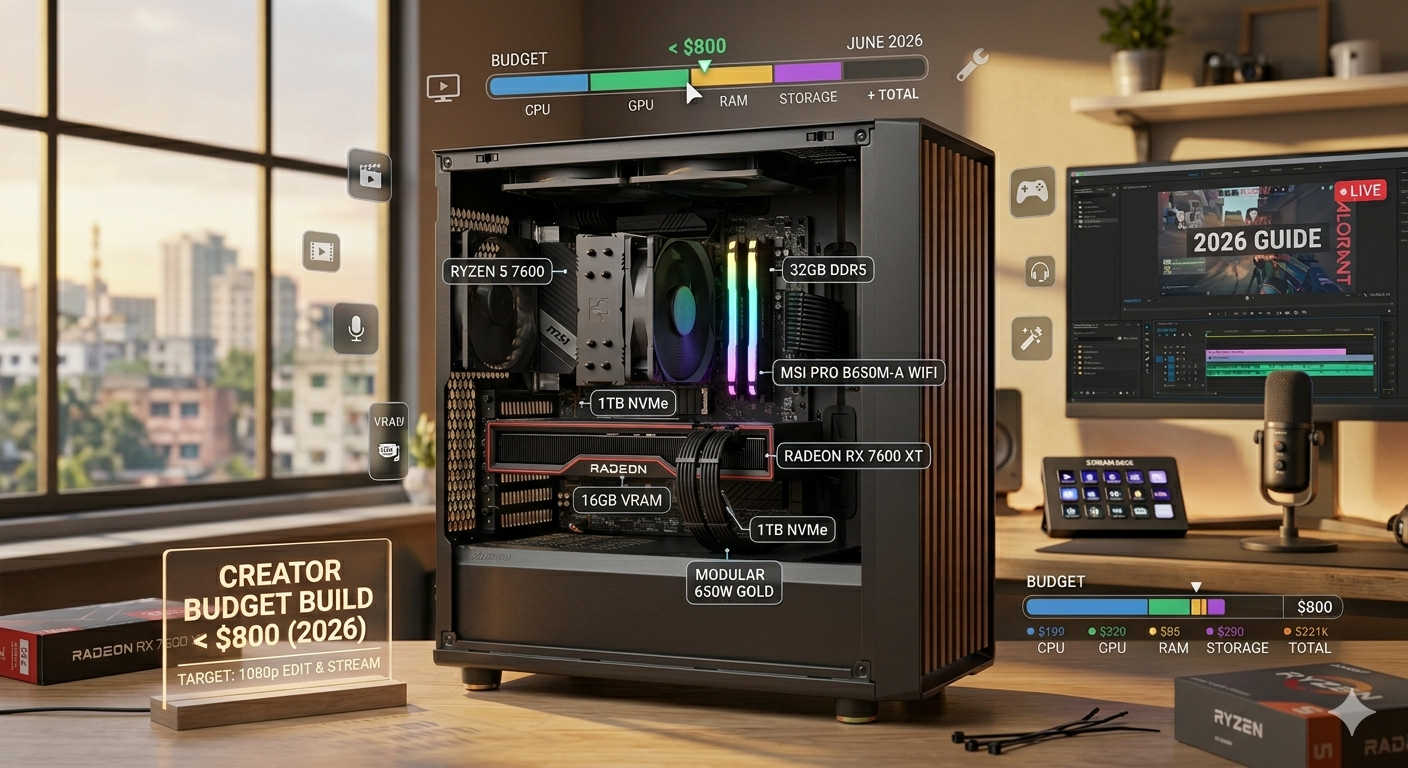
Building your own PC is one of the most rewarding tech projects you can take on. Not only does it save money compared to buying a prebuilt system, but it also gives you complete control over every component. Whether you’re a gamer, student, or someone who just needs a reliable everyday system, an $800 budget can get you a surprisingly powerful PC in 2026.
The challenge? Picking the right parts. Prices fluctuate constantly, and the balance between performance and cost is tricky. That’s why we’ve put together this complete, updated PC parts list under $800. This guide will walk you through the recommended build, explain why each component was chosen, and give you upgrade paths for the future.
By the end, you’ll know exactly what to buy, what to expect in terms of performance, and how to stretch your budget for the best results.
Why Build a Budget PC in 2026?
With the rise of cloud gaming and expensive high-end graphics cards, you might wonder if a budget PC build is still worth it. The answer is yes — and here’s why:
- Affordability: For under $800, you can build a machine capable of smooth 1080p and even 1440p gaming.
- Customization: Unlike prebuilt systems, you can choose every part, ensuring no compromises on quality where it matters.
- Upgrade potential: With a smart foundation (CPU, motherboard, PSU), you can upgrade the GPU, add more RAM, or expand storage later without replacing everything.
- Performance per dollar: DIY builds consistently outperform prebuilt systems at the same price point.
In short, you don’t need to spend $1500+ for a competent gaming PC in 2026. With a carefully chosen budget list, you’ll enjoy modern titles, multitasking, and creative workloads without breaking the bank.
The Best PC Build Under $800 (2026 Edition)
Here’s the core build list. Prices fluctuate daily, but these components consistently fall within the $600–$750 range, leaving some wiggle room for deals or optional upgrades.
| Component | Part | Approx. Price |
|---|---|---|
| CPU | AMD Ryzen 5 5600 (6 cores / 12 threads) | $100–120 |
| GPU | NVIDIA GTX 1660 SUPER (or used RTX 2060 / RTX 3050 if found cheap) | $170–250 |
| Motherboard | B550 ATX or mATX | $70–95 |
| RAM | 16GB (2×8GB) DDR4-3200 | $40–60 |
| Storage | 1TB NVMe SSD (PCIe 3.0/4.0) | $45–70 |
| Power Supply | 550–650W, 80+ Bronze, reputable brand | $50–80 |
| Case | Mid-tower with mesh front and included fans | $60–90 |
| Cooling | Stock CPU cooler (included) | Free |
Estimated Total: $620–$750
That leaves you comfortably under $800 while providing headroom for upgrades or extras (like a secondary SSD or an aftermarket cooler).
Part-by-Part Breakdown
1. CPU – AMD Ryzen 5 5600
The Ryzen 5 5600 is hands-down the sweet spot for budget builders in 2025. With 6 cores and 12 threads, it delivers excellent gaming performance while still handling productivity tasks like photo editing, video rendering, and light streaming.
Why it’s perfect for this build:
- Affordable at around $100–120
- Great single-core performance for gaming
- Multithreading ensures smooth multitasking
- Compatible with affordable B550 motherboards
The included stock cooler is also decent enough for everyday use, so you can save money on aftermarket cooling unless you want quieter operation.
2. GPU – NVIDIA GTX 1660 SUPER
The GPU is where most of your budget should go in a gaming build. The GTX 1660 SUPER may be a few years old, but it remains one of the best budget performers. At around $170–200 (sometimes cheaper used), it easily handles 1080p gaming with high settings in most modern titles.
What to expect:
- 60–100 FPS in esports titles (Valorant, CS2, Fortnite, Rocket League)
- 50–70 FPS in AAA games at medium to high settings
- Smooth 1080p gaming without major compromises
If you find a good deal on a used RTX 2060 or RTX 3050, grab it — those GPUs add extra power and ray-tracing support without breaking the budget.
3. Motherboard – B550 Chipset
The motherboard is the backbone of your build. For this budget, the B550 chipset is the ideal choice:
- PCIe 4.0 support for future GPUs and fast NVMe drives
- Affordable at $70–95
- Reliable VRM design on most budget boards
- Widespread availability and BIOS updates for Ryzen 5000 CPUs
Stick with reputable brands like MSI, Gigabyte, ASRock, or ASUS. A basic ATX or mATX board is more than enough for this build.
4. RAM – 16GB DDR4-3200
For gaming and general use in 2025, 16GB RAM is the minimum sweet spot. Most modern games require more than 8GB, and multitasking (like having multiple browser tabs open while gaming) quickly eats up memory.
A 2×8GB DDR4 kit at 3200MHz is the best value:
- Dual-channel improves performance
- Affordable at $40–60
- Compatible with Ryzen CPUs (3200–3600MHz is ideal)
You can always upgrade to 32GB later if needed, especially for streaming or heavy creative workloads.
5. Storage – 1TB NVMe SSD
Storage is one of the biggest quality-of-life upgrades in modern builds. A 1TB NVMe SSD is fast, affordable, and practical:
- Boot times in seconds
- Games load much faster than on HDDs
- 1TB ensures you won’t run out of space quickly
- Affordable at $45–70
Brands like Crucial, WD, Samsung, and Kingston all have reliable options at this price point.
6. Power Supply – 550–650W, 80+ Bronze
The power supply is not the place to cheap out. For a build under $800, a 550–650W 80+ Bronze PSU from a reputable brand (MSI, Corsair, EVGA, Seasonic, Cooler Master) is perfect:
- Enough power for this build with room for upgrades
- Efficiency keeps power bills and heat down
- Usually priced around $50–80
Don’t risk unreliable no-name units — a quality PSU protects your entire system.
7. Case – Mid-Tower with Good Airflow
Cases are personal, but airflow should always come first. Look for a mesh-front mid-tower case with at least one or two included fans:
- Keeps components cool without needing lots of extra fans
- Easy cable management improves both looks and airflow
- Affordable at $60–90
Popular options include Phanteks, Lian Li, NZXT, and Cooler Master.
Gaming Performance Expectations
So how does this build perform in real-world gaming?
- Esports (Valorant, CS2, Fortnite, Apex Legends, League of Legends): 80–120 FPS on high settings at 1080p.
- AAA Games (Cyberpunk 2077, Elden Ring, Horizon Zero Dawn): 50–70 FPS on medium-high settings.
- Older Titles: Ultra settings at 100+ FPS with no issues.
This PC isn’t built for 4K gaming or maxing out ray tracing, but it will handle 1080p with ease — exactly what a budget build should focus on.
How to Stay Under $800 Without Cutting Corners
- Buy used parts where safe: GPUs and cases are especially good candidates for buying used.
- Wait for sales: CPUs, SSDs, and RAM often drop during holiday sales or clearance events.
- Don’t overspend on extras: RGB fans, aftermarket coolers, or fancy cases aren’t necessary at this price point.
By sticking to the essentials, you get more raw performance for your money.
Future Upgrade Paths
This build is designed to grow with you. Here are the most logical upgrades down the line:
- GPU Upgrade – Move up to an RTX 4060 or RX 7600 when prices drop further.
- More RAM – Add another 16GB kit for 32GB total, ideal for content creation.
- Additional Storage – Add a second SSD or HDD for bulk storage.
- Aftermarket Cooler – If you want quieter performance or plan to overclock.
The B550 platform and Ryzen 5 5600 CPU ensure you won’t need a total rebuild for years.
Step-by-Step Build Tips
- Plan your cable management before installing the PSU.
- Install the CPU and RAM on the motherboard before putting it in the case.
- Update the BIOS after first boot for compatibility and stability.
- Set RAM speed in BIOS (XMP/DOCP) to ensure it runs at 3200MHz.
- Test stability with tools like Cinebench or 3DMark before gaming.
Taking time to build carefully ensures long-term reliability.
Frequently Asked Questions (FAQ)
1. Can I build a gaming PC under $800 that runs modern games smoothly?
Yes — with the right parts, you can enjoy 60+ FPS at 1080p in nearly every modern game.
2. Should I buy a prebuilt instead?
Prebuilts are convenient, but they often use weaker components and poor-quality PSUs. Building it yourself gives better performance per dollar.
3. Is 16GB RAM enough for gaming in 2026?
Yes, for most games 16GB is fine. If you plan to stream, create content, or multitask heavily, upgrading to 32GB later is recommended.
4. Can I upgrade this PC in the future?
Absolutely. The Ryzen 5 5600 and B550 motherboard provide a strong foundation for future GPU and RAM upgrades.
5. What resolution is this PC best for?
1080p is the sweet spot. You can dabble in 1440p, but expect to lower settings in demanding titles.
Final Thoughts – The Best PC Build Under $800
Building a budget PC doesn’t mean sacrificing performance. With around $800, you can assemble a machine that delivers smooth 1080p gaming, fast load times, and reliable everyday performance. The key is balancing your budget — spend smartly on the CPU and GPU, don’t cheap out on the PSU, and aim for 16GB RAM with 1TB storage as the baseline.
Here’s what this build gives you:
- A reliable 6-core Ryzen CPU
- A capable GTX 1660 SUPER (or better if you find a deal)
- Fast 1TB NVMe storage
- Modern B550 motherboard with upgrade potential
- A clean, well-cooled case for stable performance
This PC won’t just meet your needs today — it’s designed to grow with you over the next several years. Whether you’re gaming, streaming, or working from home, this budget build hits the sweet spot between price and performance.