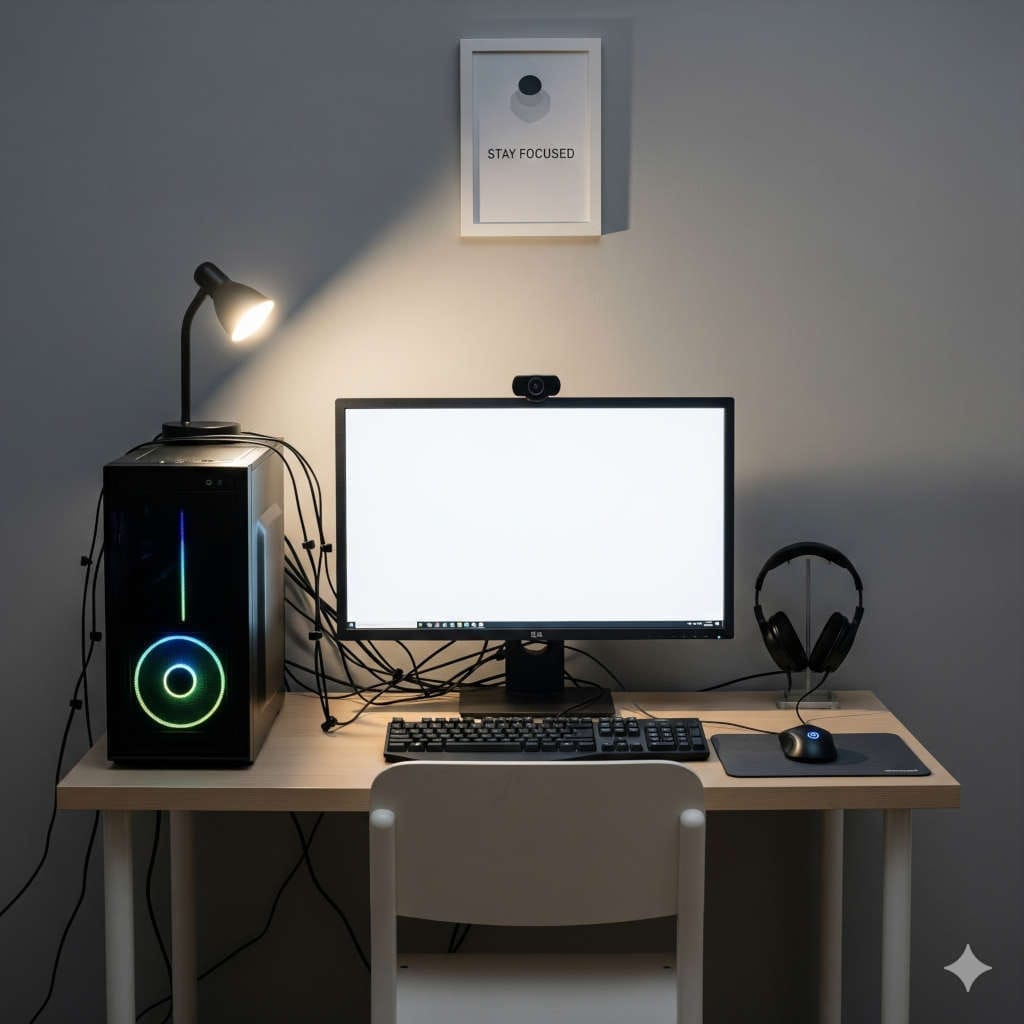
Building a budget PC is not about buying the cheapest hardware you can find. It is about making smart compromises and putting your money toward the components that will actually improve the way you use the computer.
That sounds simple, but it is surprisingly easy to overspend.
PC hardware companies compete heavily on features, specifications, lighting, connectivity, cooling systems, and enthusiast-oriented upgrades. A motherboard with every possible feature, an ultra-fast SSD, a giant liquid cooler, a case covered in RGB lighting, and a premium gaming keyboard can make a setup look impressive. The problem is that none of those upgrades are necessarily useful when your budget is limited.
For a budget gaming PC, spending an extra $100 on a motherboard may be far less valuable than putting that same money toward a better graphics card. Likewise, spending heavily on a PCIe 5.0 SSD may sound impressive, but a good PCIe 4.0 drive could deliver all the real-world performance you need.
The smartest budget PC build is balanced.
Instead of asking which component has the best specifications, ask which component gives you the biggest improvement for the money.
This guide explains the tech you should skip when building a budget PC setup in 2026, what to buy instead, and when some of these upgrades actually become worthwhile.
Why Budget PC Builders Overspend
A PC budget is a fixed amount of money.
Whether you are working with $600, $800, $1,000, or another amount, every dollar spent on one component is a dollar that cannot be spent somewhere else.
This is where unnecessary upgrades become a problem.
You might spend extra on an expensive motherboard because it includes more USB ports, more M.2 slots, premium audio, advanced networking, and elaborate heatsinks. Those features may be nice to have, but if your actual goal is gaming, that money may have produced a larger improvement when added to the graphics card.
The same applies to storage, cooling, memory, case fans, and accessories.
A budget build should not be treated as a smaller version of an enthusiast PC. It should be designed around your actual workload.
If you mainly play games, prioritize gaming performance.
If you need a PC for school and general use, responsiveness, reliability, storage, and a comfortable display may matter more.
If you are building a workstation for demanding software, your priorities will be different again.
That mindset alone can prevent many of the most common budget-building mistakes.
Tech You Should Skip on a Budget PC
Not every item below is bad technology. Most of it is useful in the right system.
The point is that these upgrades are often poor uses of money when you’re trying to maximize value.
1. Skip the Flagship Motherboard
One of the easiest ways to waste a budget is to buy a motherboard designed for an enthusiast system.
Premium motherboards often include advanced power delivery, extra PCIe connectivity, multiple M.2 slots, premium audio, advanced networking, larger heatsinks, BIOS controls, reinforced expansion slots, and plenty of cosmetic features.
Those additions can be valuable for specific users, but the average budget builder probably does not need them.
A mainstream motherboard can still provide everything necessary for a capable PC, including CPU support, DDR5 memory support on current platforms that require it, NVMe storage, USB connectivity, networking, and expansion capability.
What to look for instead
Choose a motherboard based on the features you actually need.
Look for:
- Compatible CPU support
- Suitable memory compatibility
- At least one good M.2 slot
- Enough USB ports
- Reliable networking
- Reasonable power delivery
- Useful upgrade options
You do not need a motherboard with every premium feature simply because it is available.
Who should spend more on a motherboard?
A more expensive motherboard can make sense when you need several storage drives, multiple expansion cards, advanced networking, additional connectivity, serious overclocking capability, or a particular platform feature.
For a straightforward budget gaming PC, a sensible mid-range board is usually the better investment.
2. Skip PCIe 5.0 SSDs for Basic Use
PCIe 5.0 SSDs are extremely fast, but faster does not always mean noticeably better for everyday computing.
A typical gaming PC spends plenty of time loading games, launching applications, browsing the web, opening files, and multitasking. Those tasks do not always benefit enough from cutting-edge sequential storage speeds to justify the extra cost.
A good PCIe 4.0 NVMe SSD is already very fast for most budget systems.
What to buy instead
For most users, a reliable 1TB or 2TB PCIe 4.0 NVMe SSD is a smarter choice.
Pay attention to:
- Capacity
- Reliability
- Warranty
- Endurance
- Real-world performance
- Overall price
Having enough storage can be much more useful than chasing a benchmark number.
Who should consider upgrading to PCIe 5.0?
PCIe 5.0 storage becomes more interesting for users who regularly handle very large files, professional media workflows, specialized development workloads, high-volume data transfers, or other applications that can actually take advantage of the additional throughput.
For a normal budget gaming PC, the upgrade can usually wait.
3. Skip an Expensive AIO Liquid Cooler
Liquid cooling looks impressive, but it is not automatically the right choice for a budget build.
A large 240mm or 360mm AIO cooler can cost significantly more than a capable air cooler. You also have more components to deal with, including a pump, radiator, tubing, and additional installation considerations.
For many mainstream processors, a quality air cooler is more than sufficient.
What to buy instead
Start with the CPU’s included cooler when one is supplied and suitable for your workload.
Otherwise, choose a reasonably priced tower air cooler with good reviews.
The money saved can go toward the graphics card, storage, or another component that has a more direct effect on your system.
When should you replace the stock cooler?
Consider replacing it when your processor runs hot, the included cooler becomes too noisy, you use the CPU under sustained heavy workloads, or you want better acoustic performance.
When does an AIO make sense?
A liquid cooler can be worthwhile for higher-power processors, sustained workloads, aggressive tuning, compact builds with specific cooling requirements, or users who simply prefer the appearance and layout of an AIO.
It is an optional upgrade, not a requirement for a good budget PC.
4. Skip Excessive RGB
RGB lighting is fun, but it is one of the easiest ways to inflate the cost of a PC without improving performance.
A few dollars here and there may not seem significant. Then suddenly you have RGB memory, RGB fans, an illuminated CPU cooler, RGB strips, an RGB case, an RGB keyboard, and an RGB mouse.
The total can become surprisingly large.
What should you prioritize instead?
Spend money on:
- Better airflow
- Better graphics performance
- More storage
- Better-quality components
- A better monitor
- A better power supply
You can always add lighting later.
That is one of the best things about decorative upgrades: they are easy to postpone.
When is RGB worth the money?
If appearance is important to you and you have already covered the core components, there is nothing wrong with spending part of the budget on lighting.
Just don’t let aesthetics take priority over performance.
5. Skip an Oversized Power Supply
A quality power supply is essential.
An unnecessarily large power supply is not.
Budget builders sometimes buy a 1,000W or larger PSU for a system that needs nowhere near that much power because they believe more wattage automatically means a better purchase.
It doesn’t.
A bigger PSU can cost more without providing any meaningful advantage for your current hardware.
What should you buy instead?
Select a reputable power supply with enough capacity for your components and reasonable room for future upgrades.
Depending on your CPU and graphics card, a quality 650W or 750W unit may be entirely appropriate for many mainstream builds.
The exact wattage should be based on the actual system rather than a generic number.
An important warning
Do not interpret “skip an oversized PSU” as “buy the cheapest PSU.”
The power supply is one of the components where quality should never be ignored.
A trustworthy, appropriately rated unit is much more important than having an unnecessarily large wattage rating.
6. Skip Expensive RGB RAM
Memory manufacturers offer some impressive-looking kits with elaborate heat spreaders, aggressive specifications, RGB lighting, and premium packaging.
For a budget PC, you probably don’t need any of that.
Memory capacity and compatibility matter far more than decorative features.
What should you buy?
Choose a compatible DDR5 kit when using a platform that requires DDR5 and focus on getting the amount of memory appropriate for your workload.
For many users, 16GB remains a reasonable entry point, while 32GB provides more comfortable headroom for modern gaming, multitasking, and productivity.
The exact sweet spot depends on current pricing and what you plan to do with the PC.
Should you buy 64GB?
Only when your applications can actually use it.
Professional editing, virtual machines, software development, large datasets, heavy multitasking, and other demanding workloads can benefit from additional memory.
If your workload uses only a fraction of your available RAM, the extra spending is unlikely to improve your experience.
7. Skip a Huge Collection of Premium Case Fans
Good airflow is important.
Buying six or eight premium fans is not always necessary.
Expensive fans may offer lower noise, improved bearings, stronger airflow, better static pressure, or more sophisticated lighting. Those features can be useful, but they become difficult to justify on a low-cost build.
A better strategy
Choose a case with good ventilation and use a simple intake-and-exhaust layout.
For many systems, a few properly placed fans can provide very good airflow.
Rather than filling every available fan mount, monitor temperatures first.
If your CPU and GPU temperatures are already under control, more fans may offer very little benefit.
When should you upgrade your case fans?
Consider upgrading when the included fans are excessively noisy, airflow is poor, temperatures are higher than expected, or you are building a particularly powerful system.
For a modest gaming PC, basic quality fans are usually enough.
8. Skip the Premium PC Case
A beautiful case can become one of the most expensive parts of a budget build if you’re not careful.
Premium cases often include tempered glass, elaborate cable-management systems, modular brackets, built-in displays, extensive radiator support, premium materials, and other features.
Those features are attractive, but they don’t automatically make the computer faster.
What matters more in a budget case?
Look for:
- Good ventilation
- GPU clearance
- CPU cooler clearance
- Easy component installation
- Adequate cable-management space
- Useful front-panel connections
- Dust protection
- Reasonable upgrade room
A $70 to $100 case with good airflow can be a smarter purchase than a $200 case loaded with features you never use.
9. Skip the Enthusiast Mechanical Keyboard
Mechanical keyboards can range from affordable to extremely expensive.
Once you get into premium models, you’re often paying for custom switches, specialized mounting systems, aluminum construction, premium keycaps, wireless features, displays, and advanced software.
None of those features increase the performance of your PC.
What should you buy instead?
Buy a keyboard that is comfortable, reliable, and appropriate for how you work or play.
If you eventually become interested in custom keyboards, you can upgrade later.
The keyboard does not need to consume money that would otherwise improve the computer itself.
10. Skip an Expensive Gaming Mouse
An expensive gaming mouse may offer excellent performance, but budget users rarely need the very top end of the market.
For general gaming and everyday use, a reasonably priced mouse can offer accurate tracking, dependable buttons, and a comfortable shape.
What matters most?
Look for:
- Comfortable shape
- Reliable sensor
- Appropriate weight
- Good button placement
- Wired or wireless connectivity based on your preference
A comfortable mouse that fits your hand is often more important than having the highest possible polling rate or the lightest possible body.
11. Skip a Premium Wi-Fi Adapter When Ethernet Works
A desktop PC connected by Ethernet does not need an expensive wireless adapter simply for the sake of having one.
If your router is close enough to run a network cable, wired networking can provide excellent stability and consistency.
When should you buy Wi-Fi?
Wi-Fi makes sense when the PC cannot conveniently connect through Ethernet or when wireless connectivity is essential for your setup.
Even then, choose an adapter based on your actual router and network requirements rather than automatically buying the newest or most expensive option.
12. Skip Wi-Fi 7 Unless Your Network Can Use It
New wireless standards are exciting, but your computer cannot benefit from hardware that your network cannot take advantage of.
A premium Wi-Fi 7 adapter may make sense in a modern high-speed network environment.
It makes much less sense when paired with basic networking equipment or an internet connection that cannot come close to using the available bandwidth.
Spend more only when you have a reason
Upgrade your wireless hardware when you have a compatible router, a fast local network, high-speed internet, or a workload involving frequent wireless file transfers.
Otherwise, conventional Wi-Fi may be perfectly adequate.
13. Skip a Dedicated Sound Card
Modern motherboards already provide capable onboard audio for most users.
A dedicated sound card may make sense for specialized recording, enthusiast audio setups, or users with specific requirements.
But it is rarely a necessary purchase for a budget gaming PC.
Where should the money go instead?
If better audio matters to you, a good headset, headphones, speakers, or microphone may provide a more noticeable upgrade.
Buy the equipment you can actually hear and use rather than adding hardware simply because it fills an expansion slot.
14. Skip a Vertical GPU Mount Just for Looks
A vertically mounted graphics card can make a PC look fantastic, especially in a glass-sided case.
But appearance is the main reason to do it.
Depending on the case and mounting arrangement, placing the GPU closer to the side panel can also affect airflow and temperatures.
What should you do?
Use the standard GPU orientation unless you have a specific reason to mount it vertically.
For a budget system, straightforward cooling and unrestricted airflow should matter more than display value.
15. Skip a Monitor That Your GPU Cannot Properly Drive
Buying the monitor before considering the graphics card is another common mistake.
A premium 4K, high-refresh display may look like an excellent long-term purchase, but it can be poorly matched with an entry-level GPU.
The result is an expensive monitor that your PC cannot fully utilize.
Match your monitor to your graphics card
Consider the relationship between:
- Resolution
- Refresh rate
- GPU performance
- Screen size
- Adaptive-sync support
- Your preferred games
A balanced 1080p or 1440p monitor may provide a much better experience on a budget system.
When should you upgrade the monitor?
Consider upgrading when your GPU consistently delivers more performance than your current display can show, when you want a higher refresh rate, or when image quality has become an important part of your workflow.
The monitor is worth investing in when the rest of the system can take advantage of it.
16. Skip 4K Gaming as a Budget Priority
4K gaming can look fantastic, but it demands significantly more from the graphics card.
When money is limited, targeting a lower resolution can make it easier to achieve high frame rates without spending heavily on GPU hardware.
A sensible 1440p setup can often strike a better balance between image quality and performance.
Who should choose 4K?
4K makes more sense for users who already have a sufficiently powerful graphics card and specifically want the extra sharpness.
It is not something every budget builder needs to prioritize.
17. Skip Premium Gaming Headsets
A premium headset can be excellent, but you don’t need an expensive headset to enjoy games, music, or voice chat.
At the budget end of the market, there are many products with comfortable designs, usable microphones, and decent sound.
What should you look for?
Choose based on the features that matter to you:
- Comfort
- Microphone quality
- Wired or wireless connectivity
- Battery life
- Noise isolation
- Sound quality
If you primarily play casually, a mid-range headset can leave more money available for the actual PC.
18. Skip Unnecessary Expansion Cards
Modern motherboards already integrate a large amount of functionality.
That makes it easy to buy expansion hardware you don’t actually need.
Extra network cards, USB expansion cards, dedicated sound cards, storage controllers, and similar hardware should have a purpose.
Follow one simple rule
Don’t buy an expansion card unless you can clearly explain what problem it solves.
If the motherboard already offers the feature you need, adding another device usually doesn’t improve the system.
19. Skip a Capture Card Unless You Need One
Capture cards are useful for recording consoles, using multi-PC streaming setups, or handling specialized video workflows.
They are unnecessary for most people building a regular gaming computer.
Who should buy one?
A capture card is worth considering when you:
- Stream from another device
- Capture console gameplay
- Build a dedicated streaming PC
- Need specialized external video capture
For ordinary gaming, browsing, and productivity, that money can be spent elsewhere.
20. Skip Premium Thermal Paste
Thermal paste is important, but paying a premium for a tiny improvement isn’t always worthwhile.
A decent thermal compound applied correctly is generally enough for a mainstream processor.
The cooler itself and the airflow inside your case usually have a much larger influence on temperatures.
When should you replace the included paste?
Consider different thermal paste when the supplied compound is unavailable, has deteriorated, or you are repasting an older cooler.
Otherwise, premium thermal compounds should be treated as an optional enthusiast upgrade.
21. Skip Expensive Software Features You Won’t Use
Not every budget problem is caused by hardware.
Software and operating-system costs can also push a build over budget.
Before paying extra for a particular edition or feature set, check whether you actually need those capabilities.
For gaming, schoolwork, browsing, communication, and everyday productivity, many users can work perfectly well without specialized professional features.
The same rule applies to paid utilities, hardware-control suites, RGB software, and subscription services.
Don’t build a software bill around features you never use.
22. Skip Luxury Accessories at the Start
Another common mistake is buying the entire dream desk setup before finishing the PC.
Monitor arms, premium mouse pads, RGB light strips, cable sleeves, USB hubs, decorative stands, premium webcams, controller holders, and other accessories can quickly consume hundreds of dollars.
Most of them can wait.
Build the setup in stages
Start with the essentials:
- PC
- Monitor
- Keyboard
- Mouse
- Basic audio
- Necessary networking
Once the system is complete and working properly, upgrade your desk gradually.
That approach gives you more flexibility and makes it easier to decide which accessories are actually worth buying.
Where You Should Spend More Money
Knowing what to skip is only half the process.
The other half is knowing where additional money can make a meaningful difference.
Prioritize the Graphics Card for Gaming
For a gaming PC, the graphics card is usually one of the most important components to prioritize.
A stronger GPU can directly improve frame rates, graphical settings, and overall gaming performance.
That doesn’t mean you should put nearly the entire budget into the GPU. The processor, power supply, memory, storage, and cooling still need to be appropriate.
The goal is balance.
Choose a CPU That Matches Your Workload
A high-end CPU isn’t automatically a better choice.
For gaming and everyday tasks, a modern mainstream processor may provide everything you need.
Spend more on the CPU when your software genuinely benefits from additional cores, higher performance, or stronger sustained processing.
Buy Enough RAM
Memory capacity is more important than buying an expensive kit with flashy specifications.
Choose enough RAM for the applications you actually run.
For many mainstream users, 16GB can be a reasonable starting point, while 32GB can provide more breathing room for modern games, multitasking, productivity, and creative work.
Prioritize SSD Capacity
A larger SSD can make life easier when your game library and applications begin to grow.
There is little value in owning the fastest SSD available if you constantly need to delete files to free up space.
For many budget builds, a reliable 1TB drive is a practical starting point, while 2TB becomes attractive for users with larger libraries.
Do Not Compromise on PSU Quality
This deserves repeating.
Saving money on unnecessary features is smart.
Saving money by buying an unreliable power supply is not.
Choose a reputable PSU from a trustworthy manufacturer, make sure the capacity fits your hardware, and consider future upgrades without going dramatically beyond what you need.
Choose a Case for Airflow
The case protects your components and determines how easily air moves through the system.
That makes airflow much more important than flashy aesthetics.
A simple case with good ventilation can outperform a beautiful case with restricted airflow.
How to Decide Whether an Upgrade Is Worth It
Before spending extra money on a component, ask yourself three questions.
Will I notice the difference?
If the answer is no, the upgrade probably isn’t urgent.
Does it improve performance or usability?
A larger SSD may improve usability. A better GPU may improve performance. Extra RGB typically improves neither.
Could the money improve another component more?
This is often the most important question.
If $100 spent on a motherboard produces almost no noticeable change while $100 added to the GPU gives you significantly more gaming performance, the GPU is the obvious priority.
A Smarter Budget PC Spending Order
There is no universal spending formula, but a gaming-focused budget build can generally follow this logic.
1. Graphics card
Target the gaming performance you actually want.
2. CPU
Choose a processor that can keep up with the GPU and your applications.
3. RAM
Get enough memory for your workload without paying for unnecessary capacity.
4. SSD
Choose reliable storage with enough capacity.
5. Motherboard
Buy the connectivity and platform features you need.
6. Power supply
Choose quality and appropriate wattage.
7. Case
Prioritize airflow, compatibility, and usability.
8. Cooling
Start simple and upgrade only when temperatures or noise justify it.
9. Accessories
Add premium peripherals and aesthetics after the core PC is finished.
This structure helps prevent small purchases from eating into the money available for the hardware that matters most.
Should You Buy Older PC Hardware to Save Money?
Older hardware can sometimes be an excellent bargain.
But don’t assume older automatically means better value.
An older processor may be inexpensive but could require an outdated platform with fewer upgrade options. An older graphics card may offer excellent performance, but power consumption, driver support, warranty status, and used-market condition also matter.
Compare the entire platform rather than the price of one component.
A slightly more expensive current-generation platform may provide a better long-term foundation.
When Premium Hardware Is Actually Worth Buying
The purpose of this article is not to tell you that premium hardware is bad.
Premium hardware can be excellent.
The important question is whether the upgrade solves a real problem.
A premium motherboard can make sense
Buy one when you need advanced connectivity, numerous drives, specialized expansion, high-end networking, or serious tuning capability.
A PCIe 5.0 SSD can make sense
Consider one for workloads that involve very large files and sustained high-speed transfers.
An AIO cooler can make sense
Consider one for higher-power CPUs, heavy workloads, specific thermal requirements, or a strong preference for liquid cooling.
Premium memory can make sense
Spend more when your workload can actually benefit from additional capacity or more aggressive specifications.
A premium monitor can make sense
A better monitor can be worthwhile when you use the PC daily and have a GPU capable of taking advantage of its resolution and refresh rate.
Premium peripherals can make sense
A high-end mouse, keyboard, headset, or microphone is reasonable when you spend significant time using it and the additional comfort or functionality matters to you.
The pattern is simple: premium hardware becomes worthwhile when you have a specific reason to buy it.
Budget PC Setup: What to Skip and What to Buy Instead
The easiest way to remember this entire guide is to separate essential hardware from optional upgrades.
Skip or delay
- Flagship motherboards
- PCIe 5.0 SSDs for ordinary workloads
- Oversized power supplies
- Expensive AIO coolers for modest CPUs
- Excessive RGB
- Premium case fans
- Luxury PC cases
- High-end keyboards
- Expensive gaming mice
- Dedicated sound cards
- Unnecessary expansion cards
- Capture cards you won’t use
- Premium thermal paste
- Monitors that your GPU cannot properly drive
- Expensive desk accessories
Prioritize instead
- A capable graphics card
- A suitable CPU
- Enough RAM
- Reliable SSD storage
- A quality PSU
- Good airflow
- A sensible motherboard
- A monitor matched to your hardware
- Comfortable peripherals
Final Thoughts
Building a budget PC in 2026 is really an exercise in prioritization.
You don’t need to avoid every premium component. You simply need to understand which upgrades will make a meaningful difference and which ones mostly add cost, appearance, or specifications.
A budget PC does not need a flagship motherboard, a massive liquid cooler, a 1,000W power supply, a PCIe 5.0 SSD, a wall of RGB lighting, and a premium collection of peripherals.
It needs balance.
Put the majority of your money into the parts that influence the tasks you care about most. For gaming, that usually means giving the graphics card serious attention while keeping the rest of the system sensible. For productivity, prioritize the CPU, memory, storage, display, and other components according to your applications.
Most importantly, don’t let a product’s specification sheet make the purchasing decision for you.
A component can be technically faster without being noticeably better for your particular workload.
The best budget PC is not the one with the most expensive components.
It is the one that delivers the performance, reliability, and features you actually need without wasting money on things you don’t.
FAQs About Budget PC Builds
What should I avoid when building a budget PC?
Avoid spending too much on premium features that do not improve your actual workload. Common examples include flagship motherboards, oversized power supplies, excessive RGB, premium cooling, unnecessary expansion cards, and high-end peripherals.
Should I buy the cheapest motherboard available?
No. The goal is not to buy the cheapest motherboard but the most affordable motherboard that provides the features, compatibility, connectivity, and upgrade options you need.
Is PCIe 5.0 storage necessary for gaming?
For most budget gaming PCs, no. A good PCIe 4.0 NVMe SSD is already fast enough for gaming and everyday tasks. PCIe 5.0 becomes more attractive for specialized workloads.
Do I need liquid cooling for a budget gaming PC?
Usually not. Many mainstream processors can be cooled effectively with their included cooler or an affordable air cooler.
Is RGB worth adding to a budget PC?
RGB is purely optional. Add it when the rest of the system is already covered and you value the appearance.
Is 32GB RAM better than 16GB for gaming?
It depends on the games and other applications you use. 16GB can still be workable for many systems, while 32GB provides additional headroom for modern games, multitasking, and demanding software.
Should I buy a 1,000W power supply for future-proofing?
Usually not. Buy a quality PSU with enough power for your current hardware and reasonable upgrade headroom. Excessive wattage adds cost without necessarily adding value.
Should I spend more on my CPU or graphics card?
For a gaming-focused budget PC, the graphics card often deserves greater priority, as long as the CPU is strong enough to keep the system balanced.
Is a premium gaming keyboard necessary?
No. A reliable and comfortable keyboard is enough for most budget setups. A premium model can always be added later.
What monitor should I buy for a budget gaming PC?
Choose a monitor that matches your GPU. A high-quality 1080p or 1440p display can often make more sense than buying an expensive 4K monitor that your hardware cannot use effectively.
Should I buy used PC hardware to save money?
Used hardware can offer good value, particularly for certain components, but evaluate condition, remaining warranty, power requirements, compatibility, and the seller’s reputation before buying.
What is the biggest budget PC building mistake?
The biggest mistake is spending too much money on features rather than performance. Always ask whether an upgrade solves a problem, improves your workload, or simply looks impressive on a specification sheet.