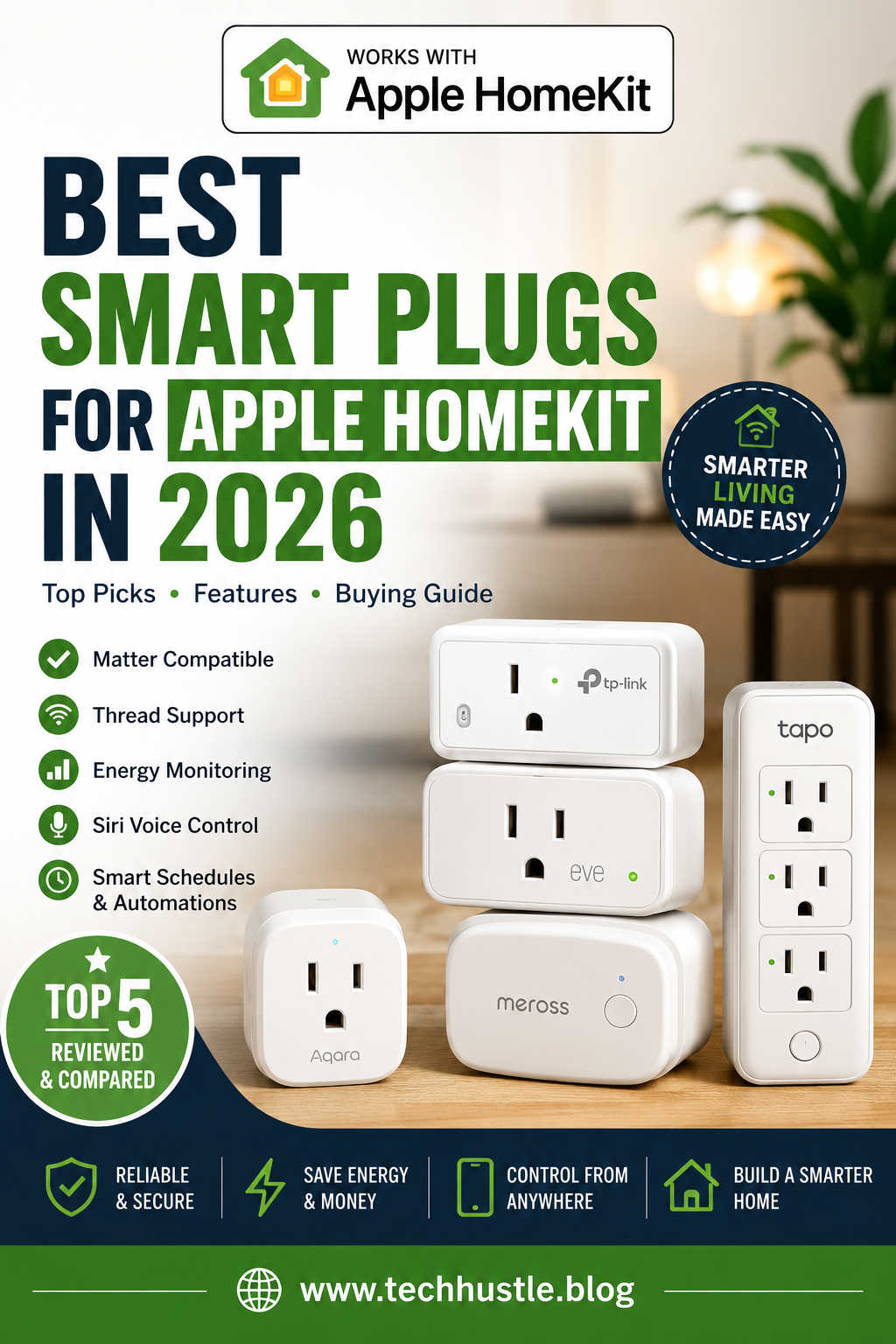
Smart plugs remain one of the easiest and most affordable ways to upgrade your home with smart automation. Whether you want your coffee maker to start brewing before you wake up, schedule lamps while you’re away, or reduce standby power consumption, a HomeKit-compatible smart plug can make everyday routines more convenient.
In 2026, choosing the right smart plug is also easier than it used to be. Thanks to Matter, many modern devices work across multiple smart home platforms instead of being locked into a single ecosystem. At the same time, Thread networking has made compatible accessories faster, more reliable, and less dependent on crowded Wi-Fi networks.
Still, not every smart plug offers the same experience. Some excel at privacy and local control, while others focus on affordability, energy monitoring, or broad smart home compatibility.
This guide explains what to look for before buying and reviews the best Apple HomeKit smart plugs available in 2026 to help you choose the right one for your home.
What Makes a Great Apple HomeKit Smart Plug?
Although almost every smart plug performs the same basic function—turning power on and off remotely—the overall experience can vary significantly depending on the hardware and software behind it.
A good HomeKit smart plug should connect quickly, respond instantly to Siri commands, and remain reliable over months or even years of daily use. It should also integrate smoothly with Apple Home automations without requiring constant troubleshooting.
When comparing models, consider these features:
- Native Apple Home or Matter compatibility
- Thread support for faster and more stable communication
- Compact design that doesn’t block adjacent outlets
- Remote control through the Apple Home app
- Siri voice control
- Scheduling and automation support
- Energy monitoring, if you want to track electricity usage
- Strong privacy practices and dependable firmware updates
If you already own a HomePod mini, HomePod (2nd generation), or a compatible Apple TV 4K, you’ll benefit even more because these devices act as Apple Home hubs and Thread border routers. They enable remote access, advanced automations, and faster communication between compatible accessories.
Why Matter and Thread Are Worth Paying Attention To
Two technologies have reshaped the smart home market over the past few years: Matter and Thread.
Matter is an industry-wide smart home standard that allows compatible devices to work with Apple Home, Google Home, Amazon Alexa, Samsung SmartThings, and other supported platforms. Instead of purchasing different versions of the same product for different ecosystems, one Matter-certified smart plug can often work across several.
Thread complements Matter by improving how devices communicate. Unlike traditional Wi-Fi accessories, Thread devices create a self-healing mesh network. Each compatible device helps strengthen the network, resulting in quicker responses and greater reliability, particularly in larger homes.
For Apple users, investing in Matter and Thread-compatible products helps future-proof a smart home while reducing compatibility issues down the road.
Best Smart Plugs for Apple HomeKit in 2026
TP-Link Kasa KP125M — Best Overall
For most households, the TP-Link Kasa KP125M strikes the best balance between price, reliability, and compatibility.
Its Matter support makes setup refreshingly simple, and once connected, it responds quickly to Siri commands and Apple Home automations. Because it doesn’t require a separate hub, it’s an excellent option for first-time smart home users as well as experienced enthusiasts.
The compact design also leaves enough room for neighboring outlets, making it practical in crowded wall sockets.
Pros
- Matter certified
- Reliable Apple Home integration
- Compact design
- Easy installation
- Excellent value
- No dedicated hub required
Cons
- Does not offer built-in energy monitoring
Who should buy it?
If you’re looking for a dependable smart plug that simply works without spending premium prices, this is the easiest recommendation for most Apple Home users.
Eve Energy — Best Premium HomeKit Smart Plug
If privacy, local control, and advanced features are your priorities, Eve Energy continues to stand out.
Unlike many competitors that rely heavily on cloud services, Eve devices emphasize local communication whenever possible. Combined with Thread support, this results in fast response times and dependable automations.
Another advantage is detailed energy monitoring. Users can view power consumption over time, making it easier to identify appliances that consume more electricity than expected.
Although it costs more than many alternatives, the additional features justify the higher price for users invested in Apple’s ecosystem.
Pros
- Native Apple Home support
- Thread enabled
- Detailed energy monitoring
- Excellent privacy
- Fast local communication
Cons
- Higher price than most competitors
Who should buy it?
It’s an excellent choice for Apple enthusiasts who want premium build quality, enhanced privacy, and detailed energy insights.
Meross Smart Plug Mini — Best Budget Option
Not everyone needs premium features.
The Meross Smart Plug Mini remains one of the best affordable choices for Apple Home users who simply want dependable scheduling and remote control without overspending.
Setup is straightforward, Siri integration works well, and multi-pack discounts make it especially attractive if you’re automating several rooms at once.
While Wi-Fi models aren’t quite as responsive as Thread-enabled devices, most homeowners will notice very little difference during everyday use.
Pros
- Affordable pricing
- Easy setup
- Reliable Siri control
- Available in multi-packs
- Great value
Cons
- Wi-Fi models can respond slightly slower than Thread devices
Who should buy it?
This is a great option for anyone starting their smart home journey or upgrading multiple outlets on a budget.
Aqara Smart Plug — Best for Aqara Users
If you’ve already invested in Aqara sensors, cameras, or switches, adding the Aqara Smart Plug creates a more unified automation experience.
It integrates well with Apple Home while also unlocking additional automation possibilities inside the Aqara ecosystem.
Certain models include energy monitoring, although availability depends on the version you purchase.
Pros
- Excellent ecosystem integration
- Reliable performance
- Good automation capabilities
- Energy monitoring on selected models
Cons
- Some versions require an Aqara Hub
Who should buy it?
Existing Aqara users will benefit most since the plug works seamlessly alongside other Aqara accessories.
Tapo P316M Smart Power Strip — Best for Multiple Devices
Sometimes one smart outlet simply isn’t enough.
The Tapo P316M replaces an ordinary power strip with individually controllable smart outlets, making it ideal for entertainment centers, gaming setups, or home offices.
Instead of purchasing several individual smart plugs, you can manage multiple devices from one compact solution.
Pros
- Multiple individually controlled outlets
- Matter compatible
- Energy monitoring
- Great for desks and media centers
Cons
- Larger than a standard smart plug
Who should buy it?
Anyone who needs to automate several devices in one location will likely find a smart power strip more convenient than multiple standalone plugs.
How to Choose the Right Smart Plug
The best smart plug isn’t necessarily the most expensive one. Instead, it depends on how you plan to use it.
If you’re automating a single lamp, an affordable Wi-Fi model may be perfectly adequate. On the other hand, if your home already includes several smart accessories, investing in Thread-enabled devices can improve overall responsiveness and reliability.
Energy monitoring is another feature worth considering. While it isn’t essential for simple on/off automation, it becomes valuable if you want to understand electricity usage or reduce energy costs over time.
You should also think about future expansion. Matter-certified products provide greater flexibility because they’ll continue working even if you later decide to add devices from other ecosystems.
Common Apple HomeKit Smart Plug Problems and How to Fix Them
Even high-quality smart plugs occasionally encounter connection issues. Fortunately, most problems are easy to resolve once you understand the cause.
Smart Plug Shows “No Response”
This usually indicates that the plug has lost communication with your Apple Home hub or wireless network.
Start by checking whether your Wi-Fi or Thread network is functioning normally. Restarting your router and Apple Home hub often restores communication because it forces devices to establish fresh network connections.
If the problem persists, removing the plug from Apple Home and adding it again can rebuild the secure pairing between the accessory and your home.
Automations Aren’t Running
When scheduled automations fail, the issue is often related to your Home Hub rather than the smart plug itself.
Verify that your HomePod or Apple TV is powered on, connected to your home network, and signed into the correct Apple Account. Since automations rely on the hub to execute schedules, temporary connectivity problems can prevent routines from running.
Reviewing automation conditions—such as location triggers, time settings, or accessory states—can also help identify configuration errors.
Siri Doesn’t Control the Plug
If Siri says it can’t find the accessory, first check whether the plug appears correctly inside the Apple Home app.
Sometimes simply renaming the accessory to something shorter and more distinctive improves voice recognition. For example, “Desk Lamp” is generally easier for Siri to understand than “Office Reading Lamp Left Corner.”
Restarting the Home app or your iPhone may also refresh synchronization with Apple Home.
Slow Response Times
Delayed responses often occur when Wi-Fi networks become congested.
Moving the router to a more central location, reducing wireless interference, or upgrading to Thread-enabled accessories can significantly improve responsiveness. Thread networks create multiple communication paths, allowing devices to find more efficient routes instead of relying entirely on Wi-Fi signal strength.
Should You Upgrade an Older Smart Plug?
If your existing HomeKit smart plug still performs reliably, there may be little reason to replace it.
However, upgrading becomes worthwhile if you frequently experience connection drops, delayed automations, or compatibility limitations with newer smart home devices.
Modern Matter-enabled smart plugs are generally easier to set up, support multiple ecosystems, and provide greater flexibility for future smart home expansion. Thread-enabled models also tend to offer faster and more consistent performance than older Wi-Fi-only devices.
Rather than replacing every plug at once, many homeowners gradually upgrade as older accessories reach the end of their useful life or as they expand their smart home.
Final Thoughts
Apple Home continues to mature into one of the most reliable smart home platforms available, and today’s smart plugs are better than ever. With Matter simplifying compatibility and Thread improving speed and stability, buyers have far more excellent choices than they did just a few years ago.
For most users, the TP-Link Kasa KP125M offers the strongest combination of affordability, reliability, and ease of use. Those who value advanced privacy features and detailed energy monitoring will appreciate the Eve Energy, while the Meross Smart Plug Mini remains a standout option for budget-conscious shoppers. Existing Aqara users can benefit from tighter ecosystem integration, and households that need to control several devices at once should consider the Tapo P316M smart power strip.
Before making your decision, think about how you use your smart home today—and how you expect it to grow in the future. Choosing a Matter-compatible smart plug with reliable Apple Home support can provide years of dependable automation, smoother daily routines, and greater flexibility as your smart home evolves.