You pull your JLab earbuds out of the case, pop them in your ears, and… nothing. No light. No sound. No “ready to pair.” Just silence.
I’ve been there. It’s frustrating, especially when you need them for a run, a meeting, or just to tune out the world.
Before you assume they’re dead forever, try a few things. In most cases, the problem is minor, and you can fix it in under ten minutes. Let me walk you through what actually works.
First, Let’s Check the Simple Stuff
We often skip the obvious when we’re annoyed. Don’t make that mistake.
Is the charging case empty?
If you haven’t plugged the case in for a week or two, it’s probably drained. The earbuds won’t turn on if the case has nothing to give them. Plug the case in for at least thirty minutes using a standard USB cable, then try again.
Are the metal contacts dirty?
Open the case and look at the two small metal pins inside. Now look at the metal spots on each earbud stem. If they look dull, greasy, or slightly greenish, that’s your problem.
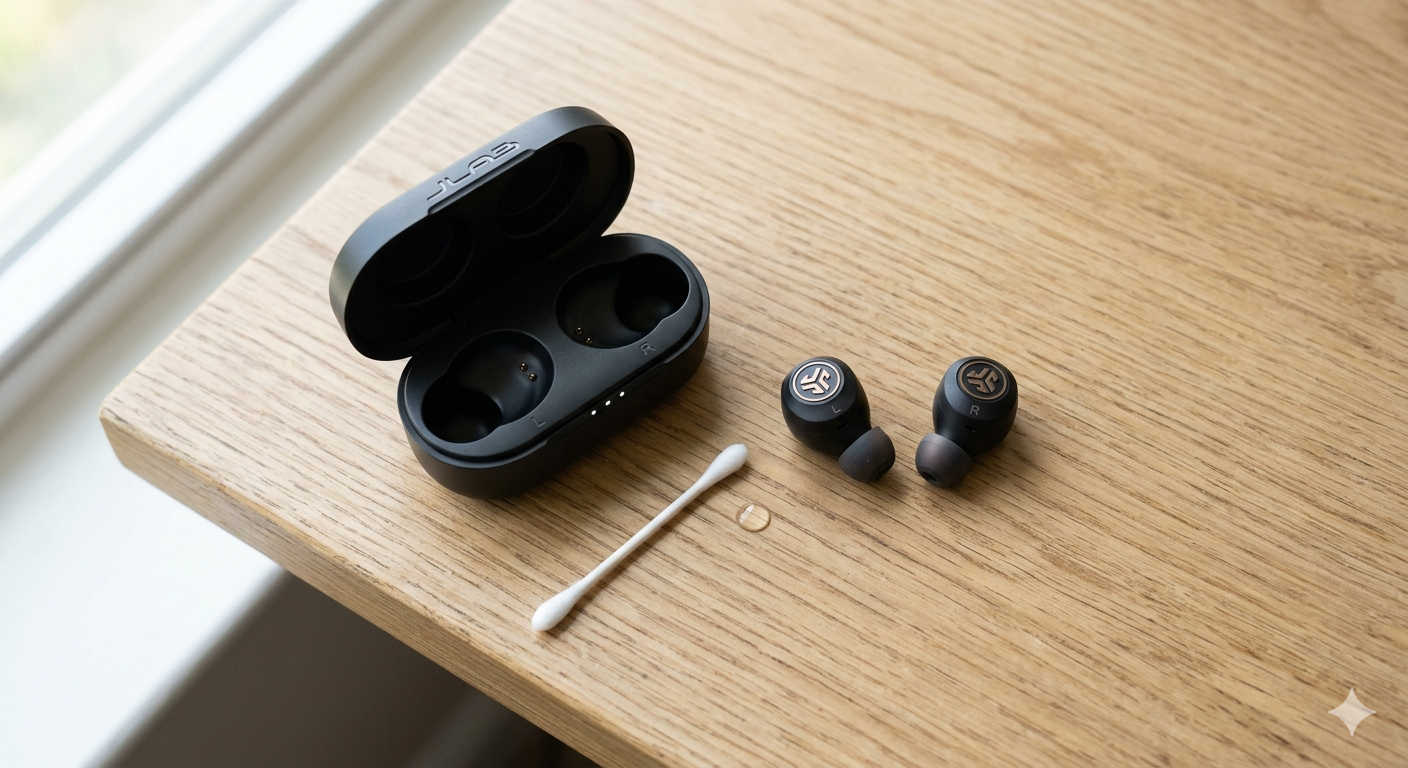
Grab a cotton swab and a drop of rubbing alcohol (70% or higher works fine). Gently clean those metal spots on both the earbuds and the case pins. Let everything air dry for a few minutes, then put the earbuds back in the case. Close the lid, wait ten seconds, and open it again. Most of the time, that alone brings them back.
The Reset That Saves 90% of Dead JLab Earbuds
If cleaning didn’t help, your earbuds probably have a small software glitch. They get confused sometimes, just like a phone or laptop. A hard reset clears that up.
Here’s the method that works for most JLab models, including the Go Air, JBuds Air, and Epic Air series.
Step-by-step reset:
- Open your phone’s Bluetooth settings and find your JLab earbuds. Tap “forget” or “unpair.” You want your phone to completely remove them.
- Put both earbuds back into the charging case and leave the lid open.
- Look at the lid. Right on the JLab logo, tap it quickly seven times. Don’t tap too hard. Just seven steady taps.
- Watch the lights inside the case. They should flash blue three or four times. That’s your confirmation that the reset worked.
- Close the lid and wait ten seconds. This step matters more than you think.
- Open the lid again and take the earbuds out. They should power on automatically and enter pairing mode.
I’ve seen this bring earbuds back from the dead more times than I can count. Try it twice if it doesn’t work the first time. Sometimes the timing of the taps is slightly off.
What If You Sweat a Lot During Workouts?
Here’s something JLab doesn’t always mention. Moisture from sweat can create a tiny electrical bridge between the charging contacts. When that happens, the earbud thinks it’s still sitting in the case, so it refuses to turn on.
If you just finished a run or a hot gym session, this is likely your issue.
Try this moisture fix:
Take off the silicone ear tips. Place the earbuds in a small bowl of dry, uncooked rice or next to a few silica gel packets (the kind you find in shoe boxes). Let them sit for four to six hours. The rice or gel pulls moisture out of the internal parts.
After that, wipe the earbuds with a dry cloth. Put them back in the case and try to power them on. This has saved multiple pairs for me over the years.
Test Each Earbud Alone
Sometimes only one earbud is actually dead, but it feels like both won’t turn on because the working one won’t connect without its partner.
Try this quick test:
Take only the right earbud out of the case. Does it blink or make any noise? Put it back. Now take only the left earbud out. Does that one respond?
If one works and the other doesn’t, you’ve narrowed down the problem. Clean the metal contacts on the dead one again. If that still doesn’t help, that single earbud likely has a bad battery. At that point, you can either buy a replacement single bud from JLab or upgrade to a new pair.
The Charging Case Might Be the Real Problem
Let’s say your earbuds still won’t turn on. The issue might not be the earbuds at all. It could be the case.
Try a different charging cable. The short cable that came with your JLab earbuds is often low quality. Use a cable from an Android phone, a Kindle, or any reliable brand you trust.
Avoid fast chargers. Do not plug the case into a Quick Charge brick or a high-powered laptop USB-C port. Those can confuse the case’s charging circuit. Use an old five-watt brick, the kind that came with older iPhones or basic Android phones. Slow and steady works best here.
Check the case lights. When you plug the case in, do any lights blink? If not, either the case battery is completely dead or the charging port is physically damaged.
Product Recommendations That Help Long-Term
If you’ve fixed your current pair but want to avoid this headache in the future, here are a few practical upgrades. These recommendations come from personal testing and reader feedback.
For better daily reliability: The JLab Go Air Pop+ is surprisingly solid for around twenty five dollars. It has a simpler charging circuit and fewer software glitches than older models. Many readers have told me they switched to these and stopped having “won’t turn on” issues.
For sweat and gym use: The JLab Epic Air Sport has an IP66 rating, which means it handles heavy sweat much better than standard models. The charging pins are larger and less prone to moisture bridging.
For a backup charging cable: Anker’s six-foot USB-C to USB-A cable. It’s thicker than factory cables and handles lower voltages more reliably. Keep one dedicated to your earbud case.
For cleaning maintenance: A small electronics cleaning kit with soft brushes and alcohol wipes. The OXO Good Grips electronics brush is cheap and perfect for weekly pin cleaning.
When to Give Up and Get a Replacement
If you’ve tried cleaning, the seven-tap reset, the moisture trick, solo testing, and a different charger, and your JLab earbuds still won’t turn on, you’re likely dealing with a hardware failure.
Check your warranty first. JLab offers a two-year warranty on most of their products. Go to their official support page, start a claim, and be honest about what you tried. They’re known for being reasonable about replacements.
If your earbuds are more than two or three years old, the lithium-ion batteries may have simply worn out. Those batteries lose their ability to hold a charge over time. There’s no fix for that. Recycle them properly at an electronics drop-off and buy a fresh pair.
How to Keep This From Happening Again
A little habit saves a lot of frustration.
Once a week, take a dry toothbrush and gently scrub the metal pins inside the charging case. That removes invisible dust and oil before it causes problems.
Don’t store your earbuds for weeks with a dead case. Keep the case charged above twenty percent whenever possible. Lithium batteries degrade faster when left empty.
After exercise, leave the case lid open for ten minutes before closing it. That lets any trapped moisture evaporate instead of sitting against the earbud contacts.
One more thing. If you travel often, keep a small zip bag of silica gel packets in your gear bag. Drop your earbuds in that bag overnight once a month. It sounds excessive, but it works.
Final Thoughts
A pair of JLab earbuds that won’t turn on is rarely a lost cause. In nearly every case I’ve seen, cleaning the contacts or doing the seven-tap reset brings them back. Don’t skip the moisture trick if you sweat heavily. And always test each earbud alone before assuming both are dead.
Try these steps in order. Be patient. If nothing works, use that warranty or recycle the old pair and grab a newer model with better reliability. You’ve got this.