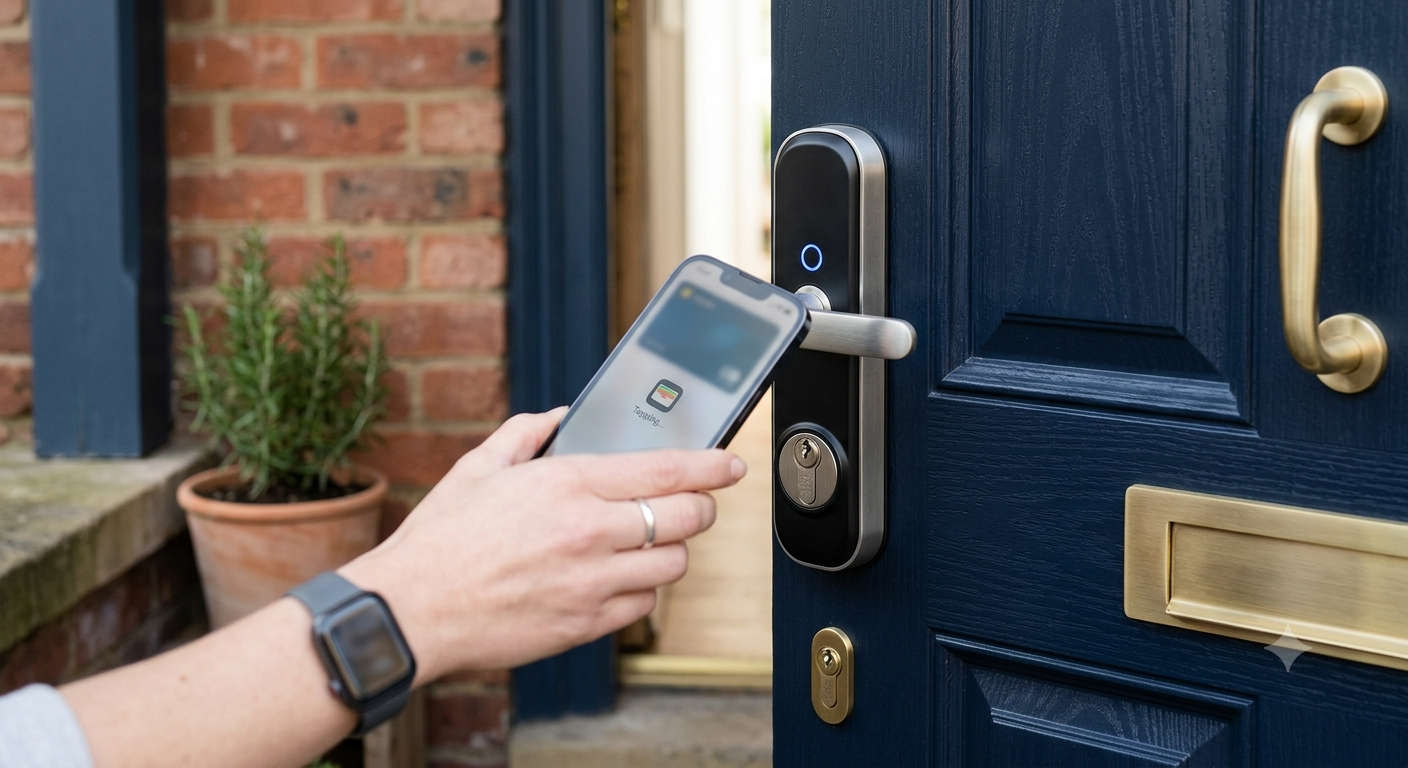
Search “best HomeKit smart lock” and you’ll mostly get American deadbolt reviews — which is frustrating, because almost none of those locks will physically fit a British front door. UK homes use euro-profile cylinders set inside multi-point locking mechanisms, not the single deadbolt setup that dominates the US market. That mismatch has quietly kept Apple Home users stuck with a shrinking shortlist for years.
Things have genuinely improved in 2026, though. Matter has matured into something more than a marketing buzzword, Thread support is showing up in more retrofit devices, and a handful of brands have finally built locks specifically around euro cylinders — some of them supporting Apple Home Key, the NFC feature that turns your iPhone or Apple Watch into an actual door key. This guide only covers locks that will realistically work on a UK door and integrate properly with Apple Home, so you can skip the trial-and-error part of shopping.
What “HomeKit Compatible” Actually Means on a British Door
Before comparing individual locks, it’s worth understanding why compatibility claims can be misleading. A lock that “works with Apple Home” doesn’t automatically mean full functionality out of the box. Three things determine how good that experience actually is:
Connection type. Some locks talk to HomeKit natively over Matter or Thread. Others need a separate bridge or hub to translate their signal — which usually means an extra purchase and one more thing that can go wrong.
Cylinder fit. Most UK doors use a standard euro profile, but older properties sometimes have oval cylinders instead. A lock rated for one won’t necessarily fit the other, and getting this wrong is the single most common reason people end up returning a smart lock.
Home Key support. Only a small number of locks currently support Apple’s tap-to-unlock NFC feature. Everything else still works with Siri and the Home app, but you’ll be reaching for your phone screen rather than just tapping it against the door.
With that context in place, here’s how the main contenders stack up.
The Best Apple HomeKit Smart Locks for UK Front Doors
Aqara U200: Best for Apple Home Key
If tap-to-unlock is the feature that got you shopping in the first place, the Aqara U200 is currently the strongest option on the UK market. It’s a retrofit euro-cylinder lock, so it fits the vast majority of British front doors without any structural changes, and it supports Apple Home Key natively — no bridge required to get the core NFC unlock experience working.
Beyond that headline feature, it includes a built-in fingerprint reader and an outdoor keypad, giving you three separate ways to get in if your phone battery ever lets you down. The companion app is also unusually well thought out for multi-person households: proper user profiles, individual access permissions, and a detailed activity log that tells you exactly who came and went, and when.
The one thing to plan around is that full remote access and richer HomeKit automations — like locking automatically when everyone leaves — require a home hub such as a HomePod mini or Apple TV. Most established Apple Home users already have one sitting on a shelf, but it’s worth checking before you buy if you don’t.
Yale Linus: Best for Brand Trust and Reliability
Yale carries a level of trust with UK homeowners that few smart lock brands can match, and the Linus builds on that without overcomplicating things. It’s another euro-cylinder retrofit, meaning your existing keys still work as a fallback, and it layers Bluetooth control and Matter support on top of the mechanical lock you already have.
To bring HomeKit fully into the picture, you’ll need the separately sold Yale Connect Wi-Fi Bridge. It’s an extra cost, but it also unlocks remote access and location-based auto-lock and auto-unlock, which works reliably once the geofencing radius is calibrated correctly — more on that in the troubleshooting section below. Battery life is a genuine strength here, typically lasting four to six months on standard batteries. The trade-off is that there’s no built-in keypad or fingerprint sensor, so anyone wanting PIN-code access for guests will need to look at a different model.
Nuki Smart Lock: Best for Easy, Tool-Free Installation
Nuki takes a different approach entirely: instead of replacing any part of your existing lock, it clamps directly onto your interior thumb-turn. Most people have it fitted in under ten minutes without tools or a locksmith, and because your existing key still works from the outside, it’s a genuinely reassuring choice for households with guests, older relatives, or anyone not quite ready to go fully keyless.
HomeKit, Matter, Alexa, and Google Assistant support all come as standard, and the app itself holds up well against pricier competitors, with digital guest keys and a detailed activity log. As with the Yale Linus, remote access away from home needs a separately purchased bridge, so it’s worth adding that to your budget upfront rather than being surprised by it later. If your door uses an oval cylinder rather than the more common euro profile, check Nuki’s oval-specific version before ordering, since not every lock on this list offers one.
SwitchBot Smart Lock Pro: Best Budget and Rental-Friendly Option
For renters, or anyone who’d rather avoid modifying their door hardware altogether, the SwitchBot Smart Lock Pro stands out. It sits on the inside of the door and physically rotates your existing thumb-turn using 3M adhesive rather than screws, so installation takes about ten minutes and leaves no trace behind when you move out.
It’s also the most affordable option here, priced at around £73, and the newer Pro generation includes built-in Wi-Fi — a meaningful upgrade over earlier SwitchBot models, which needed a separate hub just for remote access. It’s a more basic experience overall, and it doesn’t support Apple Home Key, but for straightforward locking, unlocking, and Siri voice control through the Home app, it covers the fundamentals at a fraction of the cost of the alternatives.
Tedee GO: Best for a Compact, Low-Profile Fit
Tedee’s GO model is worth considering if you want something that doesn’t dominate the inside of your door. It’s a retrofit design that preserves your existing cylinder and keys, and like the Yale Linus and Nuki, it reaches HomeKit through a separately sold Tedee Bridge. Its smaller footprint matters more than people expect on doors with limited clearance around the thumb-turn, though you’re still paying extra for the bridge if remote access is a priority.
Common Setup and Connectivity Problems (and Why the Fixes Work)
Even a well-reviewed lock can behave oddly during setup or after a firmware update. Most issues come down to a handful of predictable causes, and understanding why a fix works makes it much easier to solve the next problem yourself.
The Lock Won’t Appear in the Home App
This almost always comes down to network band mismatches. Many smart locks, including Matter-over-Wi-Fi devices, only support the 2.4GHz band, while modern routers often broadcast a combined or 5GHz-priority network by default. Splitting your router’s 2.4GHz and 5GHz networks into separate names temporarily during setup gives the lock a clear, unambiguous signal to connect to, which resolves the vast majority of “device not found” errors.
HomeKit Shows the Lock as “No Response”
This typically means the lock’s local connection to your home hub has dropped, even though the lock itself is working fine. Because Apple Home relies on a HomePod, Apple TV, or HomePod mini to relay commands when you’re not on your home network, a hub that’s lost its own Wi-Fi connection — or simply needs a reboot — will show every device attached to it as unresponsive. Restarting the hub re-establishes that relay connection and almost always clears the error without touching the lock itself.
Auto-Unlock or Geofencing Isn’t Triggering Reliably
Geofencing relies on your phone’s GPS accuracy, which can vary depending on how densely built your area is or how many satellites your phone can see at a given moment. Widening the geofence radius slightly in the lock’s app gives your phone more room for GPS drift, which is usually the actual cause of “arrived home but door didn’t unlock” complaints rather than a fault with the lock itself.
Bluetooth Range Feels Inconsistent
Bluetooth signals lose strength significantly when passing through metal, brick, or reinforced glass — all common in UK front doors, especially composite and multi-point designs. If your phone consistently struggles to connect from just a few metres away, it’s rarely a defective unit; it’s the door itself acting as a partial signal barrier. Locks with built-in Wi-Fi, like the Aqara U200 or newer SwitchBot models, sidestep this because they don’t depend on a direct Bluetooth handshake for remote commands.
Battery Drains Faster Than Expected
Rapid battery drain is almost always tied to how often the lock is polling for a connection rather than how often it’s actually used. Auto-unlock features that constantly check your phone’s location, along with a weak Bluetooth or Wi-Fi signal that forces the lock to retry connections repeatedly, both consume noticeably more power. Disabling auto-unlock when it’s not needed, or moving a paired hub closer to the door, typically extends battery life by weeks rather than days.
What to Check Before You Buy
A little measuring now saves a returns headache later. Confirm your cylinder type first — euro profile is standard, but older UK properties sometimes use an oval cylinder, and not every lock offers a version for both. Decide early whether remote access matters enough to justify paying for a bridge or hub, since several strong options on this list charge extra for that feature rather than including it. If Apple Home Key is the reason you’re upgrading, the Aqara U200 is currently the only lock here that supports it without additional hardware. Finally, if your home insurance has specific security requirements, look for BSI Kitemark or Secured by Design accreditation, since coverage can sometimes hinge on it.
Who Should Actually Upgrade to a Smart Lock
A smart lock isn’t a must-have for every household, and it’s worth being honest about that before spending £70 to £200 on one. It makes the most sense if you regularly manage house guests, dog walkers, or cleaners and want to issue and revoke digital access without cutting spare keys. It’s also genuinely useful for anyone who’s locked themselves out more than once, or who wants a reliable record of who entered the house and when. On the other hand, if your current lock works fine and you rarely deal with access logistics beyond your own household, there’s no pressing reason to switch — a smart lock solves a specific set of problems, and it’s worth confirming those problems apply to you before buying one.
Final Thoughts
For most Apple Home households with a standard UK front door, the Aqara U200 is the best all-round choice thanks to native Home Key support and a fitting kit designed with British cylinders in mind. The Yale Linus suits anyone who values brand reliability over cutting-edge features, Nuki wins if ease of installation is the priority, and the SwitchBot Smart Lock Pro is hard to beat on price if you’re renting or working with a tighter budget.
Whichever lock you land on, double-check your cylinder type, factor in whether you’ll need a separate bridge for remote access, and don’t assume every setup hiccup means a faulty unit — most of the issues covered above come down to network settings or signal range rather than the lock itself. Get those basics right from the start, and a HomeKit smart lock is one of the more genuinely convenient upgrades you can make to a British front door.